We Built a Shopify Store With AI and Approved Everything It Suggested. Here's What Happened.
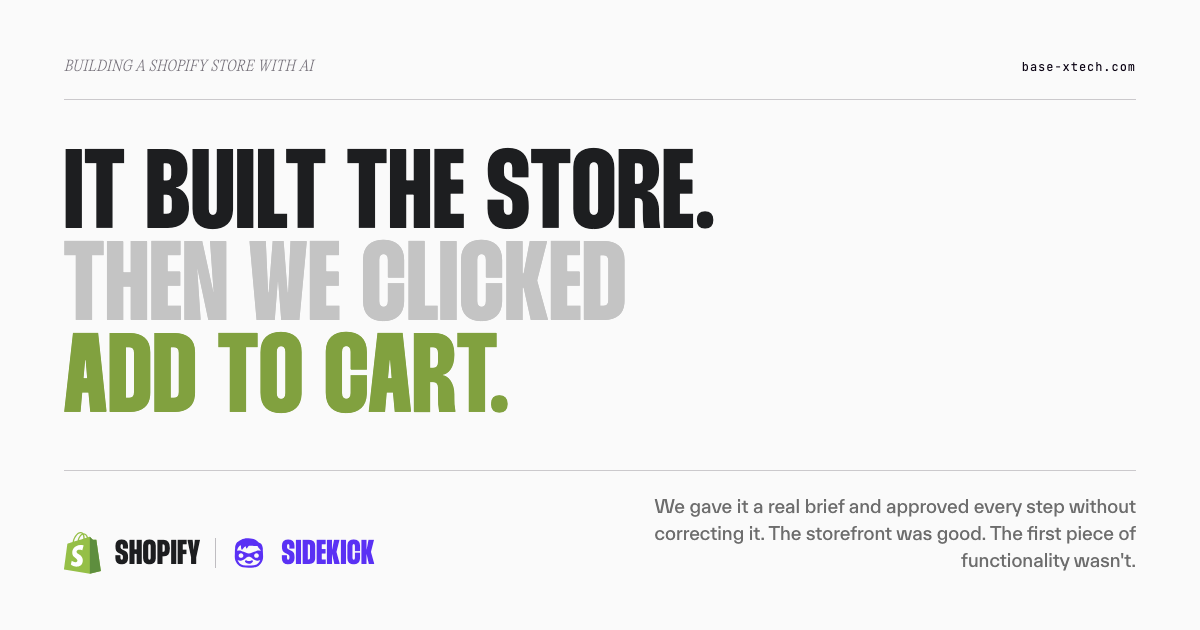
We gave Shopify's Sidekick a real client brief and approved everything it proposed without correcting it. The storefront looked genuinely good. Then we asked for an add-to-cart button, and it did nothing. Here's the honest run — what worked and where it stopped.
Shopify Sidekick has quietly become one of the most-discussed tools on the platform, and one of the most misunderstood. So before we get into what happened when we put it to a real test, it's worth being clear about what Sidekick actually is and how it works — because a lot of the arguments about it are really arguments about different products.
What Sidekick is
Sidekick is Shopify's built-in AI assistant. It lives inside your Shopify admin as a conversational agent — you describe what you want in plain language, and it interprets the request, proposes what to do, and (once you approve) carries it out. It's included on every Shopify plan, though the features and usage limits vary by tier. You don't install it or pay extra for it; it's already there.
A few things about how it behaves are worth knowing up front, because they shape both what it's good for and where the risks sit:
- It asks before it acts. Sidekick isn't permitted to change your store without your approval — it presents options for you to review, and you decide. It also respects staff permissions, so a given account can only reach what its admin role already allows. It cannot run autonomously.
- It generates real code. When Sidekick builds theme functionality, it produces genuine custom code — generated theme blocks are stored as their own Liquid files in the theme's
/blocksfolder. This is the single most important thing to understand about it, and we'll come back to it, because "the AI made me a button" and "you now have custom code in your theme" are the same sentence. - It remembers. Memory is on by default and stores your chat history across sessions. You can switch it off for a conversation, but you can't switch it back on for that same conversation afterward.
- Capabilities are gated by plan. Some functions — app generation, for instance — are restricted to the Grow, Advanced, and Plus plans as of April 2026, with hourly and weekly usage quotas.
That's the tool. It's genuinely capable, it's improved a lot over the Spring '26 releases, and it's not the toy some early reviews made it out to be. The interesting question isn't whether it works — it's how far it gets on its own, and where that stops being enough.
So we tested it.
The test we ran
We gave Sidekick the same brief we ask our own clients for at the start of a project — brand materials, references, positioning, the full kickoff pack — and then we did something we'd never do on a real build: we approved everything it proposed without correcting any of it. The point was to see how far a store gets when you let the AI lead and a competent operator just says "yes" to each step.
Our team has worked on Shopify for years. We know what a good build looks like and where the hard parts hide. So this wasn't a beginner fumbling with a new tool — it was people who know the platform deliberately staying hands-off to find the honest edges of what Sidekick can do on its own.
Here's what happened: what we fed it, what came back, where it genuinely impressed us, and the exact moment it stopped working.
The setup
We role-played a brand owner and supplied what we'd normally request from a client at kickoff — the same onboarding pack we ask for at the start of a real project. Brand materials, visual references, positioning notes: the raw context a designer or developer would need before touching anything. We didn't hand it a one-line prompt and hope; we gave it the kind of brief a serious client actually provides, because a fair test of the tool means giving it a fair chance.
The brief itself was deliberately ordinary. It's the kind of request you see posted on Upwork every week: build me a clean, good-looking store for this brand. Nothing exotic, nothing that would stump a competent freelancer. We wanted a representative build — the request a real small merchant would actually make — not an edge case designed to trip the tool up. If Sidekick was going to struggle, we wanted it to struggle on something ordinary, because that's what its intended user will ask of it.
Everything happened in Sidekick chat inside the Shopify admin — the conversational assistant you reach from the admin, not the separate AI store builder and not the theme-editor block flow. That distinction matters, because those are three different products with three different accuracy stories, and we want to be precise about which one we actually tested. This was the chat assistant, working through the build one proposal at a time.
The rule we set: approve what Sidekick proposes rather than steering it. On a real build we'd be correcting, redirecting, and rewriting constantly — that's most of the actual job. Here we wanted to see the unaided output, so we kept our hands off the wheel and said yes to each step, the way its intended user would if they didn't know enough to push back.
One thing worth saying up front, because it's how Sidekick actually works: it can't run autonomously and it can't change your store without you. It presents options; you approve them. So "hands-off" doesn't mean we walked away — it means we approved each proposal without correcting it. That's a real distinction, and it matters for what follows.
What worked — credit where it's due
The storefront it produced looked good.
I want to say that plainly and early, because if this post reads like an agency defending its territory, it's failed. It didn't look like a template with the serial numbers filed off. It was visually appealing, coherent, and on-brand — nothing that would embarrass anyone who put it live. The layout held together. The typography made sense. The overall impression was of a store someone had designed, not a form someone had filled in.
What struck us most was the coherence. It's one thing for an AI to produce a nice-looking homepage in isolation; it's another for the homepage, the collection pages, and the product pages to feel like they belong to the same store. The pieces matched. The brand materials we'd fed in were clearly reflected — it had actually used the positioning and references rather than defaulting to a generic "clean ecommerce" look. Colour, spacing, and hierarchy were handled sensibly. Nothing was fighting anything else on the page.
For content generation and the visual shell of a store, Sidekick is genuinely capable. If your bar is "a good-looking storefront that reflects my brand," it clears it. Anyone telling you the output looks obviously machine-made is either working from an old version or has something to sell you. The Spring '26 Sidekick is a real step up, and the surface-level result was the part that most exceeded our expectations — we went in skeptical about how the storefront would look, and that skepticism was the thing the run corrected.
That's the honest credit. Now the other half.
Where it stopped
We asked for a quick add-to-cart button — the little control that lets a shopper add an item straight from a collection or product card without loading the full product page. A standard piece of ecommerce functionality. Not exotic.
We described what we wanted in detail — more specifically than a typical merchant would, using the vocabulary of people who've built this before. Sidekick generated it. The products looked right. The button rendered and looked correct, sitting exactly where it should.
It did nothing.
We set a test product quantity in the admin to rule out the obvious explanation — an out-of-stock product won't add to cart, so that's the first thing to check. Stock was there. We clicked the button again. Still nothing — no item added, no cart change, no error message, no feedback of any kind. Not a button that threw an error we could chase, not a button that half-worked. A control that looked completely finished and did absolutely nothing when a customer would press it.
That "no feedback of any kind" part is worth dwelling on, because it's what makes this failure mode dangerous rather than merely annoying. A button that throws an error tells you something is wrong. A button that does nothing, silently, looks identical to a button that works — right up until you actually try to buy something. Everything about it looked correct: the placement, the styling, the label. The only way to know it was dead was to click it and watch nothing happen.
Here's the uncomfortable part, and we're keeping it in because it's the whole point: we couldn't immediately tell whether the fault was Sidekick or our prompting. We hadn't gone deep enough into the tool's own best practices to know for certain whether we'd asked for the thing in the wrong way, or whether the tool had simply produced a control that didn't wire up to the cart. We could see the button was dead. We could not see why, and we couldn't fix it on the spot from the chat window. People who work on this platform for a living, with a reasonable level of AI proficiency, looked at a dead button and couldn't diagnose it.
Sit with what that means for the intended buyer of an AI-only build. A first-time merchant would not know the button was dead. They wouldn't spot it in testing, because they wouldn't think to test it against a live cart with a stock count set — they'd see a good-looking button in the right place and assume it worked, exactly as we nearly did. They'd find out when a customer told them — or, more likely, they'd never be told, and would simply wonder why the traffic was there but the orders weren't.
The part that should worry you more than the dead button
We flagged the broken control and asked Sidekick to fix it. It updated the functionality, and this time the button worked.
Good outcome — except for one thing we could not answer: we don't know what happened to the code that didn't work.
When Sidekick regenerated the button, was the original, non-functional code removed? Or is it still sitting somewhere in the theme — an orphaned block, a dead snippet, a piece of Liquid or JavaScript that does nothing and that nobody will ever look at again? We couldn't tell. And we say that as a team that works on this platform for a living.
That's the moment the run stopped being about a button and started being about something bigger. The store we ended up with looked finished. It might even be finished, functionally. But we were already holding code we couldn't fully account for — generated in a chat window, never read, of uncertain provenance — after a single fix on a single feature. Multiply that across a full build, a dozen fixes, months of iteration by someone who can't read what's being produced, and you can see the shape of the problem forming.
We'll leave that there, because it's the subject of the next post: what an AI-generated store actually leaves behind, and why the problems that look finished are the expensive ones. For now, the honest summary of the run is this — the storefront was genuinely good, and the first real piece of custom functionality left us holding code we couldn't vouch for.
So — can AI build a Shopify store?
Partly, and further than a lot of people expect. Let's be fair about where the line actually sits, based on this run and on what Shopify itself documents.
What Sidekick genuinely does well: the storefront, the content, the visual coherence, the setup tasks. If you need a clean, attractive store and you're running a simple catalogue with no custom theme work and no added functionality, an AI-led build is a reasonable path — especially if you have no budget for a developer and you need to start now. We mean that. It's good technology, and for that person it's a real option.
A few facts worth knowing before you rely on it, all from Shopify's own documentation:
- Sidekick is on every plan, but capabilities vary. It's included across plans, with features and usage limits differing by tier. App generation, for instance, is restricted to the Grow, Advanced, and Plus plans as of April 2026, with hourly and weekly quotas.
- It always asks before it acts. Sidekick isn't permitted to change your store without approval — it presents options for you to review, and it respects staff permissions, so it can only reach what your admin role already allows.
- Generated theme blocks are real code. They're stored as their own Liquid files in the theme's
/blocksfolder. This is the important one, and it's the whole subject of the next post: what Sidekick produces is genuine custom code living in your theme — which is exactly the kind of thing that behaves in ways you need to understand. - Memory is on by default. It stores your chat history across sessions; you can switch it off for a conversation, but you can't switch it back on for that same conversation.
Where an AI-only build front-loads speed and back-loads cost: the moment you need real functionality, custom theme work, or anything past a simple store, you're generating code someone has to own. This run got a good-looking storefront and a working add-to-cart button on the second try — and left us, an experienced team, unable to say what was in the theme. For anyone who intends to do this properly, that trade-off is the whole story, and it's what the next post is about.
"But I can do the same with AI"
We hear this a lot, and it's fair to raise. If Sidekick can build a decent storefront, what's the agency for?
Here's our honest answer: sure, and so can we. If we both open a store in the same niche tomorrow — you with an AI-only build, us with everything we know — do they perform the same?
The tool is the same in both cases. The variable is expertise: knowing what to ask for, spotting the dead button before a customer does, understanding what the generated code is doing, and being able to maintain it six months from now when a theme update rolls through. AI closes the gap on making a store. It doesn't close the gap on knowing whether the store you made actually works — and that's true well beyond Shopify.
So we'll give Sidekick full credit: it got further, faster, and better-looking than most people would guess. And we'll be just as honest about where it left us — holding a store that looked finished, and a piece of code we couldn't account for. That gap between looks finished and is finished is the whole subject of the next post.
This is the first of two posts on building a Shopify store with AI. In the next one, we get into what an AI-generated store actually leaves behind — why the problems that look finished are the ones that cost you later, and who this path genuinely suits anyway. If you're weighing an AI-only build against bringing in help, get in touch and we'll give you a straight read on your situation.