How to Choose a Platform: Shopify, WooCommerce, or Headless
"Which platform should we build on?" is the first question of almost every project — and the answer shapes cost, speed, and growth for years. An honest guide to choosing between WordPress, WooCommerce, Shopify, Shopify Plus, and headless, and matching the decision to what you're actually building.
The question we hear more than almost any other, right at the start of a project, is some version of this: "Which platform should we build on?" It's the right question to ask early, because the answer shapes everything downstream — cost, speed, how easily you can grow, and how much you'll depend on developers for routine changes.
There's no universally correct answer. The best platform is the one that matches what you're actually building and how your team actually works. This guide walks through how to choose a platform honestly — what the real options are, what each is good and bad at, and how to match the decision to your situation. We build on Shopify, so we'll be clear about where our bias sits, but the goal here is to help you decide, not to sell you one answer.
Start with the real question: what are you building?
Before comparing platforms, get clear on what the site is for. Most projects fall into one of three buckets, and the right platform depends heavily on which one you're in:
- A content-first site — a blog, a magazine, a brochure site, a business that informs and builds an audience, where selling is secondary or absent.
- A commerce-first store — the primary purpose is selling products, and everything else (content, brand, support) serves that goal.
- A hybrid — serious content and serious commerce, where neither is an afterthought.
Almost every platform decision comes down to being honest about which of these you are. A common and expensive mistake is choosing a platform optimised for one bucket when you're really in another — a content-first team forcing everything through a commerce platform, or a commerce-first business building on a content tool and bolting on a store.
The content-first option: WordPress
If your site is primarily about content — publishing, SEO-driven traffic, an audience you inform before you sell to — WordPress is still the most capable tool for the job. It powers around 43% of all websites on the internet, and that dominance isn't an accident. Its blogging and content-management engine is the most mature on the web: categories, tags, custom post types, scheduling, and two decades of SEO tooling (plugins like Yoast and Rank Math) built around it.
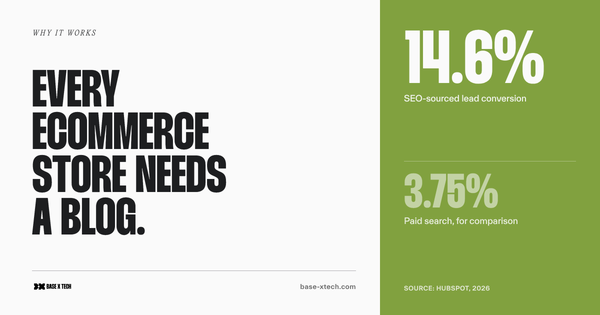
For a business whose growth strategy is content — publishing regularly, ranking for informational queries, building topical authority — WordPress gives you control and workflow that dedicated commerce platforms simply don't match. Shopify's native blogging, by comparison, is basic: tags but no categories, no native related-posts, limited template control.
The trade-off: WordPress is self-hosted and open-source, which means you own the hosting, security, updates, and the responsibility when something breaks. It's flexible, but the flexibility comes with maintenance overhead.
Adding commerce to content: WooCommerce
If you're on WordPress and want to sell, WooCommerce is the natural path. It's a free, open-source plugin that turns a WordPress site into a functional online store, and it powers a very large share of the world's ecommerce sites — depending on measurement methodology, somewhere between 20% and 38% of all online stores, making it one of the two dominant ecommerce platforms alongside Shopify.
WooCommerce makes the most sense when content is the lead and commerce is the extension of it — a media brand that sells merchandise, a content business adding a small catalogue, a store whose SEO and content strategy is central and needs WordPress's editorial power.
The strengths: total control and customisation, no platform lock-in, and the full WordPress content ecosystem behind your store. The costs: you're responsible for hosting, performance, security, PCI compliance, plugin conflicts, and updates. As a store grows, that operational complexity grows with it. WooCommerce starts cheaper than Shopify but scales in complexity — the total cost of ownership at scale is often higher than the sticker price suggests, once you account for hosting, premium plugins, and the developer time to keep it all working together.
The commerce-first option: Shopify
If selling is the primary purpose of your site, Shopify is built specifically for that job, and it's where our own work is focused. It's a fully hosted, all-in-one commerce platform — Shopify handles hosting, security, PCI compliance, and updates, so you don't. It holds roughly 26–28% of the ecommerce platform market and dominates among high-traffic stores, capturing close to 29% of the top one million ecommerce sites. Its merchants processed $292 billion in GMV in 2024, and that concentration among serious, revenue-generating stores tells you something about where it fits.
Shopify makes the most sense when commerce is the lead. Its defaults are conversion-optimised, its checkout is among the best-converting in ecommerce (and largely handled for you), and its app ecosystem covers most of what a growing store needs without custom development. Critically for a non-technical team, a well-built Shopify store is genuinely operable without a developer — you can add products, launch collections, and update content yourself, which is not something you can reliably say about a self-hosted WooCommerce store at scale.
The honest trade-offs: Shopify is less flexible than open-source options in specific ways. It enforces fixed URL structures (/products/, /collections/) that can complicate migrations, its native content/blogging tools are weaker than WordPress's, and you work within its architecture rather than owning every layer. For most commerce-first businesses, those constraints are a worthwhile exchange for not having to run the infrastructure yourself. For a business whose strategy is content-led, they may not be.
The enterprise open-source option: Magento (Adobe Commerce)
Magento — now Adobe Commerce — sits at the heavy end of the spectrum. It's an open-source platform (with a paid enterprise edition) built for large, complex catalogues and businesses with genuinely unusual requirements: massive product ranges, intricate B2B pricing rules, multi-store and multi-region operations, and deep ERP or custom system integrations.
Magento makes sense for a specific kind of business — typically large enterprises with in-house development teams or a dedicated agency, and requirements complex enough that no hosted platform can accommodate them. Its strength is near-total flexibility and the ability to handle scale and complexity that would strain other platforms.
The costs are substantial and worth being honest about. Magento is resource-intensive to build, host, and maintain. It effectively requires ongoing developer expertise — this is not a platform a non-technical team runs alone. Hosting is demanding, upgrades are non-trivial, and the total cost of ownership is high. For the large enterprises it's built for, that's justified. For most small and mid-sized businesses, Magento is more platform than they need, and its complexity becomes a liability rather than an asset. If you're not operating at enterprise scale with the technical resources to match, it's usually the wrong tool.
The maximum-control option: a fully custom build
At the far end is building the store from scratch — a custom frontend and backend, or a custom frontend on top of a commerce API. This gives you total control over every aspect of the experience: no platform constraints, no imposed URL structures, no theme limitations, exactly the architecture and features you specify.
That control is the entire appeal, and also the entire problem. A fully custom build means you're responsible for everything a platform would otherwise handle for you: hosting, security, PCI compliance, payment processing, checkout, inventory logic, uptime, and every future update. You're not buying a proven, maintained system — you're building and maintaining one. The upfront cost is high, the timeline is long, and the ongoing maintenance burden never goes away.
A fully custom build is rarely the right answer, and it's worth being direct about that. It makes sense only when a business has requirements so specific that no existing platform — not even headless Shopify or Magento — can accommodate them, and the resources to build and maintain a production commerce system indefinitely. In practice, that's a very small number of businesses. Most teams who think they need a fully custom build actually need a well-built store on an existing platform, often with a headless frontend for the custom parts. Choosing full custom for the flexibility, without a genuine need for it, means paying to rebuild — and then forever maintain — infrastructure that Shopify or WooCommerce would have given you for a fraction of the cost.
Rough total cost of ownership, side by side
Cost is usually the first thing people ask about and the last thing that's answered honestly, because the real number depends on your traffic, catalogue size, apps, and how much custom work you need. The ranges below are meant to show relative scale, not to serve as quotes — they cover the recurring monthly cost of the platform or license plus typical hosting and apps/plugins.
| Platform | Typical monthly cost (platform + hosting + apps) | Upfront build | Best for | Team needed to run it |
|---|---|---|---|---|
| WordPress (content only) | ~$10–100 | Low–medium | Content-first sites, blogs, informing sites | Low technical |
| WooCommerce | ~$20–150+ | Medium | Content-led businesses adding commerce | Some technical / dev on call |
| Shopify (Standard) | ~$29–299 + apps | Low–medium | Commerce-first stores, most businesses | Manageable in-house; agency for builds |
| Shopify Plus | from ~$2,300 | Medium–high | High volume, B2B, multi-store, custom checkout | In-house team + agency partner |
| Magento (Adobe Commerce) | ~$2,000–5,000+ | High | Large enterprises, complex catalogues | Dedicated dev team |
| Fully custom build | ~$50–500+ hosting | Very high (one-time) | Truly unique requirements only | In-house engineering |
These are rough ranges to show relative scale, not quotes — actual total cost of ownership depends heavily on your traffic, catalogue size, apps, and how much custom work you need. The biggest hidden cost across every option is developer time, not the platform fee. A cheap platform that needs constant developer attention often costs more over three years than a more expensive one your team can run itself.
Within Shopify: Standard, Plus, and headless
Choosing Shopify isn't the end of the decision — there are three meaningfully different ways to build on it.
Standard Shopify (Liquid themes). The default path, and the right one for the large majority of stores. You build on a Liquid theme — Shopify's templating system — using the theme editor, the app ecosystem, and Shopify's hosting. It's fast to launch, cost-effective, easy for a non-technical team to run, and compatible with essentially every app in the Shopify ecosystem. For most stores, from launch through seven and even eight figures, this is all you need.
Shopify Plus. The enterprise tier. Shopify Plus adds higher API limits, more checkout customisation (via Shopify Functions and checkout extensibility), multiple storefronts, B2B features, and dedicated support — at a starting price around $2,300/month. It makes sense when you've outgrown standard limits: high order volume, complex B2B or wholesale needs, multiple regional storefronts, or checkout customisation that the standard tier can't accommodate. Note that since Shopify's 2026 updates, some B2B features previously exclusive to Plus are now available on lower tiers, so the Plus decision is more about scale and customisation depth than B2B access alone.
Headless (Hydrogen or custom frontend). The most flexible and most demanding option. In a headless setup, you build a completely custom frontend — often with Shopify's Hydrogen framework (React-based) — and use Shopify only as the commerce backend via its Storefront API. Checkout stays with Shopify; you own everything else about the browsing experience.
Headless is powerful, but it's the option most often chosen for the wrong reasons. The common mistake is a founder reading that "headless is faster" and rebuilding on Hydrogen for a marginal performance gain they could have achieved by cleaning up their Liquid theme — at three times the cost and with real operational downsides. A poorly built React app is slower than a well-optimised Liquid theme; "headless" does not automatically mean "fast." Going headless also breaks the theme-editor experience (your marketing team can no longer update a banner without a developer) and breaks compatibility with apps that rely on theme extensions.
Headless genuinely makes sense for a specific profile: brands where editorial content and commerce are equally central (closer to a media publisher), operations running multiple storefronts that benefit from a shared component library, or high-traffic DTC brands where a small conversion gain from speed justifies the significant engineering investment. If you're not clearly in one of those categories, standard Liquid is almost certainly the right answer.
How to actually make the decision
Strip away the platform marketing and the choice comes down to a few honest questions:
Is your growth strategy content or commerce? Content-led → WordPress, WooCommerce if you're selling alongside it. Commerce-led → Shopify. This single question resolves most of the decision.
How technical is your team, and do you want to run infrastructure? If you have developer resources and want total control, open-source (WordPress/WooCommerce) is viable. If you want to focus on selling and not on hosting, security, and maintenance, hosted (Shopify) is the better fit.
What's your real total cost of ownership? Look past the monthly sticker price. Factor in hosting, premium plugins or apps, transaction fees, and — the big one — developer time to build and maintain. The cheapest platform to start on is frequently not the cheapest to run at scale.
How much checkout and design control do you actually need? Most stores need far less than they think. If your needs are standard, Shopify's defaults are an advantage, not a limitation. If you have genuinely unusual requirements, that's when Plus or headless enters the conversation.
Where will you be in two years? Choose for where you're heading, not just where you are. Migrating platforms later is expensive — a proper migration runs weeks of work and carries real SEO risk if done badly. It's worth choosing well the first time.
Our honest take
We build on Shopify, so weigh this accordingly — but here's where we actually land. For a content-first business, WordPress (with WooCommerce if you're selling) is the right tool, and we'll tell you so. For a commerce-first business, Shopify is the platform we recommend and build on, because for the large majority of stores it offers the best balance of conversion-optimised defaults, low operational overhead, and a platform a non-technical team can actually run.
Within Shopify, most businesses should start on a standard Liquid build, move to Plus when scale or customisation genuinely demands it, and consider headless only when they fit the specific profile where it pays off. The expensive mistakes we see aren't usually about picking the "wrong" platform in the abstract — they're about picking a platform optimised for a different business than the one you're actually running.
If you're weighing this decision and want an honest read on which platform fits your situation — including the cases where the answer isn't Shopify — get in touch. We'd rather help you choose well than sell you a build you'll want to migrate off in two years.
FAQ
How do I choose the right platform for my website?
Start by identifying what the site is primarily for: content, commerce, or a genuine hybrid. Content-first sites are best served by WordPress; commerce-first businesses by a dedicated platform like Shopify; and the decision within each depends on your team's technical capacity, your real total cost of ownership, and how much design and checkout control you actually need. The most common mistake is choosing a platform built for a different type of business than the one you're running.
Should I use Shopify or WooCommerce?
Use Shopify if selling is your primary purpose and you want a hosted platform that handles security, performance, and updates so you can focus on the business. Use WooCommerce if your site is content-led (built on WordPress) and commerce is an extension of that, and if you have the technical resources to manage hosting, plugins, and maintenance yourself. Shopify wins on operational simplicity and conversion defaults; WooCommerce wins on customisation and content flexibility.
What is the difference between Shopify and Shopify Plus?
Standard Shopify suits the large majority of stores — it's cost-effective, fast to launch, and easy for a non-technical team to run. Shopify Plus is the enterprise tier (around $2,300/month) adding higher API limits, deeper checkout customisation, multiple storefronts, and dedicated support. Choose Plus when you've outgrown standard limits through high volume, complex B2B needs, multiple regional stores, or checkout customisation the standard tier can't handle.
What is headless commerce and do I need it?
Headless commerce means building a custom frontend (often with Shopify's Hydrogen framework) while using Shopify only as the commerce backend. It offers maximum flexibility and performance control, but at significantly higher cost and complexity — it breaks the theme editor and many apps, and requires ongoing developer involvement. Most stores don't need it; it makes sense mainly for content-heavy brands, multi-storefront operations, or high-traffic DTC brands where a small speed-driven conversion gain justifies the investment.
Is Shopify or WordPress better for SEO?
WordPress has historically had the edge, thanks to its mature content tooling and plugins like Yoast and Rank Math, and it's the stronger choice for content-led SEO strategies. Shopify has closed much of the gap, with native support for meta fields, auto-generated sitemaps, canonical tags, and structured data. For a commerce-first store, Shopify's SEO is more than sufficient; for a content-first strategy publishing heavily, WordPress still offers more control.
How much does it cost to migrate platforms later?
Migration is a significant project — typically several weeks of work involving data mapping, URL redirects, SEO preservation, and payment reconfiguration, and it carries real risk of ranking drops if done poorly. That's precisely why choosing the right platform upfront matters: the cost of migrating later is high enough that it's worth investing time in the initial decision rather than switching once you've outgrown a mismatched choice.
When should I consider Magento or a fully custom build?
Both are for the far end of the complexity spectrum. Magento (Adobe Commerce) suits large enterprises with in-house development resources and requirements too complex for a hosted platform — massive catalogues, intricate B2B rules, deep system integrations. A fully custom build makes sense only when no existing platform (including headless Shopify or Magento) can meet your needs and you have the resources to build and maintain a production commerce system indefinitely. In practice, very few businesses genuinely need either. Most teams who think they do are better served by a well-built store on an existing platform, often with a headless frontend for the parts that need custom work — at a fraction of the cost and maintenance burden.
Base X Tech builds commerce-first stores on Shopify — standard, Plus, and headless — and helps businesses choose the right platform for what they're actually building. If you want an honest read on your options, get in touch.