How to Migrate from BigCommerce to Shopify: A 2026 Guide
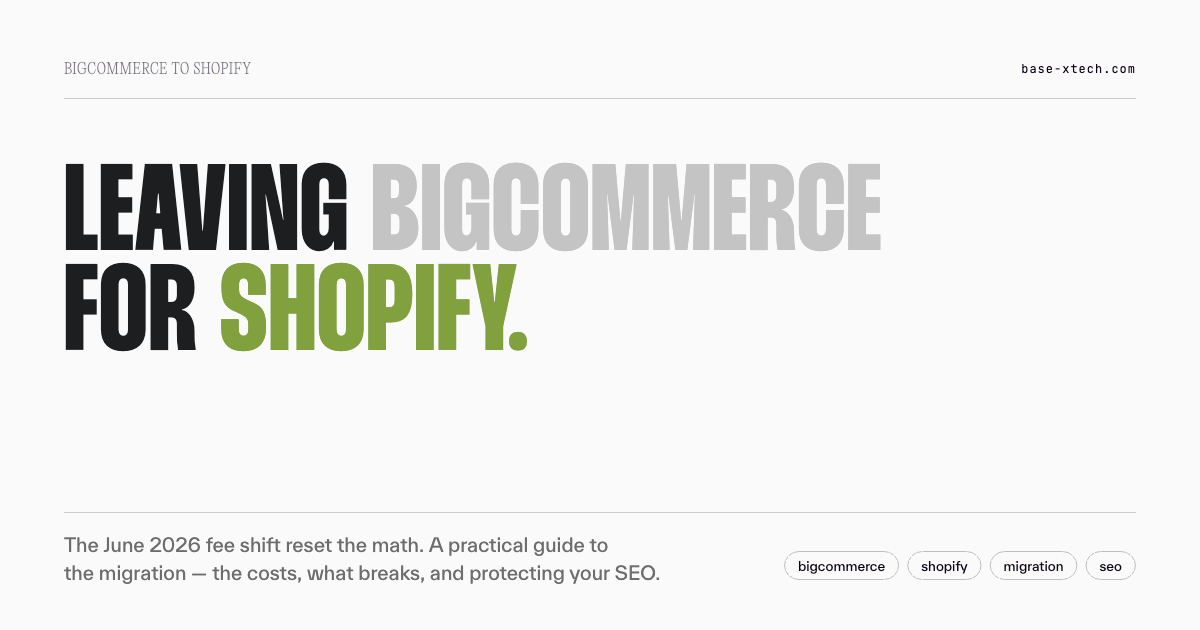
BigCommerce's June 2026 Open Payment Provider Fee ended its "no transaction fees" advantage over Shopify. A practical, honest guide to migrating from BigCommerce to Shopify: how the calculation changed, how the migration works, and how to keep your SEO intact.
For years, the case for staying on BigCommerce had one very clear pillar: no transaction fees. That was the platform's loudest argument against Shopify, and for high-volume merchants using third-party gateways, it was a genuine, meaningful advantage.
As of June 2026, that argument is gone — and it's why a lot of BigCommerce merchants are suddenly doing the migration math. This is a practical, honest guide to moving from BigCommerce to Shopify: why the calculation changed, how the migration actually works, what breaks, and how to protect the SEO you've built. We're a Shopify agency, so weigh our perspective accordingly — but BigCommerce is a capable platform, and part of an honest guide is being clear about when a move makes sense and when it doesn't.
What changed: the June 2026 pricing shift
On June 1, 2026, BigCommerce introduced an Open Payment Provider Fee and restructured its plans. Three things changed at once, and together they reset the cost comparison with Shopify:
A new Open Payment Provider Fee. BigCommerce now charges a percentage on every order processed through a gateway that isn't on its approved "embedded" list (which includes Stripe, PayPal/Braintree, Adyen, Klarna, and others). The rate is 2% on the Core plan, 1% on Growth, and 0.6% on Scale; on Performance it is set by contract. Whether you pay it depends on your plan and gateway, not your country — there is no EU exemption. Critically, per BigCommerce's own documentation, the fee also applies to offline and B2B purchase-order payments — so a merchant processing a large share of revenue through purchase orders now pays a platform fee on transactions that never touch a card.
Renamed plans. Standard, Plus, Pro, and Enterprise became Core, Growth, Scale, and Performance.
Lowered GMV thresholds. The revenue ceilings that automatically bump you to a higher-priced tier were cut, so the same revenue now pushes merchants into a higher plan earlier than before.
The reason this matters: "no transaction fees" was the single biggest differentiator BigCommerce held over Shopify. With that gone, the two platforms are now priced in the same ballpark — and the decision comes down to ecosystem, checkout performance, and fit rather than a headline fee advantage. For a merchant putting significant volume through a non-embedded gateway, the new fee can quietly cost tens of thousands a year, which is often enough on its own to make a migration pay for itself.
Why brands migrate from BigCommerce to Shopify
The fee change is the trigger, but the reasons brands actually complete the move cluster around a few themes — and they're worth being honest about, because not all of them apply to everyone.
The cost math changed. For merchants on third-party gateways, the Open Payment Provider Fee plus the lowered thresholds can mean paying meaningfully more to stay than to move. On Shopify, using Shopify Payments avoids transaction fees entirely, and the plan price doesn't escalate with your revenue the way BigCommerce's tier thresholds do.
The ecosystem is bigger. Shopify powers over 5 million active stores and runs a marketplace of over 20,000 apps, and most of the ecommerce ecosystem now builds Shopify-first. For merchants who've struggled with limited integration options on BigCommerce, or paid for custom builds to fill gaps, the breadth of the Shopify App Store is a genuine upgrade in what's possible without heavy development.
Checkout conversion. Shopify's checkout is among the highest-converting in ecommerce and is maintained and optimised for you. When checkout customisation limits are causing conversion to stall, that's a direct revenue argument for moving.
Faster iteration. On a well-built Shopify store, routine changes — a new promo, a landing-page tweak — don't require a developer or days of turnaround. Slow deployment cycles are a common frustration that pushes teams to move.
Platform investment. Shopify invested $1.4 billion in R&D in 2024 and reported 26% revenue growth, which means continuous platform improvement without merchants having to manage upgrades themselves.
Be honest: when BigCommerce is still the right platform
An honest guide has to include this, because BigCommerce genuinely wins in some scenarios — and a good agency will tell you when staying put is the smarter call.
- You're on an embedded gateway and happy. If you process through Stripe, PayPal, Adyen, or another provider on BigCommerce's embedded list, the new Open Payment Provider Fee may not hit you much at all. If your setup works and the fee doesn't bite, price alone isn't a reason to move.
- You have a huge, highly configurable catalogue. BigCommerce has no hard variant cap, while Shopify allows up to 2,048 variants per product on every plan (since October 15, 2025). For configurable products with many dimensions — industrial parts, deep made-to-order ranges — that ceiling can still be a genuine blocker.
- You need unlimited API by default. BigCommerce includes generous API access across its tiers; on Shopify, the highest limits are a Plus feature. For heavy ERP or WMS integrations, that difference matters.
- Your business is deeply B2B. BigCommerce's B2B Edition is a deep, native B2B platform. Shopify's native B2B has closed much of the gap and is now available across plans, but for an operator whose primary business is complex B2B, BigCommerce may still fit better.
If several of these describe you, the move needs a stronger justification than the fee change alone. If none of them do — and the new fee hits a large share of your orders — migration is worth serious evaluation.
We cover the broader platform decision in our guide on how to choose a platform, and the general case for moving in why migrate to Shopify.
The BigCommerce to Shopify migration process
A migration done well is a structured project, not a data dump. The main phases:
1. Planning and audit
Catalogue everything on the current store — products, customers, orders, content, integrations, and every URL. Decide what to carry over, what to clean up, and what to leave behind. This is also where you define a content-freeze window before the final data export, so you're not migrating against a moving target. Treat the migration like a software release, with a planned cutover, not an open-ended copy.
2. Data migration
Products, customers, and order history move to Shopify with careful field mapping. Two BigCommerce-specific things to plan for:
- Passwords can't transfer. For security reasons, customer passwords can't be migrated from BigCommerce to Shopify — this is true of every platform migration, not just this one. Customer accounts and order history migrate fine, but each customer is prompted to reset their password on first login. Plan a proactive email so it doesn't look like a security problem.
- Product modifiers aren't variants. BigCommerce "modifiers" (engraving text, file uploads, date pickers) don't become Shopify variants — they become line-item properties captured at the cart via an app or theme work. If personalisation is part of your offering, the catalogue needs reworking before the storefront rebuild, not after.
3. App and integration mapping
Reviews, wishlists, and loyalty data usually live in third-party apps on both platforms. Check whether your current app provider supports cross-platform export, or whether you'll need an intermediary tool to move that data. Every integration — ERP, marketing, analytics — needs a Shopify equivalent identified and configured.
4. Design and build
Rebuild the storefront on Shopify, either implementing your existing design or refreshing it. Custom BigCommerce functionality gets rebuilt as Shopify sections, apps, or (on Plus) checkout extensibility.
5. SEO preservation
The phase that determines whether you keep your organic traffic — covered in its own section below.
6. Testing and launch
Everything is tested on staging before going live. Per Shopify's migration guidance, the DNS switch happens only at the final launch step, so you keep taking orders on BigCommerce until the moment you cut over — meaning there's no downtime during the migration itself. A rehearsed launch with active monitoring beats a hard cutover and hope.
We handle this full scope on our Shopify migration service.
Protecting your SEO during a BigCommerce migration
The biggest risk in any migration is losing the organic rankings you've built. It's also the most preventable.
The core issue is that Shopify uses fixed URL structures — /products/ and /collections/ — so your BigCommerce URLs will change. If those old URLs aren't redirected, every old link and every ranking hits a dead end.
The essential steps, per Shopify's own migration guidance:
- Crawl and map every URL from the BigCommerce store, pairing each with its new Shopify equivalent in a one-to-one redirect map.
- Set up 301 redirects for every changed URL — direct maps only, no chains. Standard Shopify supports up to 100,000 redirects; Shopify Plus supports up to 20 million, which matters for large catalogues.
- Preserve title tags, meta descriptions, and structured data exactly.
- Test redirects on staging, then submit the new sitemap to Google Search Console on launch day and monitor 404s daily for the first couple of weeks.
A temporary dip in organic traffic right after a platform shift is normal and usually recovers within a few weeks to a couple of months with clean redirects. Done badly, recovery can stretch to months and cost real revenue — which is exactly why this isn't a step to rush or hand to a generic tool.
Cost and timeline: honest ranges
Every migration is scoped differently, so treat these as rough guidance, not quotes.
| Store profile | Typical timeline |
|---|---|
| Small (clean catalogue, few integrations) | 3–6 weeks |
| Mid-market (some customisation, moderate catalogue, integrations) | 4–12 weeks |
| Enterprise / complex B2B (large catalogue, ERP, multi-storefront) | 3+ months |
These figures represent the range we've typically seen while working with different brands. Actual results may vary depending on your store's setup, customizations, third-party apps, and overall implementation.
Two honest notes. First, the catalogue and content migration are the easy parts — customer-account continuity, order history, integration mapping, and the SEO redirect map are where projects most often underestimate effort. Second, most self-managed migrations run into trouble precisely because those harder parts get underestimated, which is why anything past a small, clean store usually benefits from an agency.
Shopify or Shopify Plus for BigCommerce migrants?
Standard or Advanced Shopify suits most mid-market BigCommerce merchants — it covers the needs of the large majority of stores, and using Shopify Payments avoids transaction fees entirely.
Shopify Plus makes sense when you need the higher API limits for heavy ERP/WMS integrations, multiple storefronts, deeper checkout customisation, or the 20-million redirect limit for very large catalogue migrations. Notably, Shopify made B2B features available across more plans in its 2026 updates, so B2B capability alone no longer forces a Plus decision the way it once did — the Plus question is now more about scale, API needs, and customisation depth.
One useful piece of timing context: Shopify made B2B cheaper to run in 2026 at roughly the same moment BigCommerce added a fee that can hit B2B purchase orders. For B2B-heavy operators, that's a spread worth modelling carefully.
The honest bottom line
For BigCommerce merchants where the new Open Payment Provider Fee hits a meaningful share of orders — or who are bumping into ecosystem, checkout, or iteration-speed limits — a migration to Shopify is well worth evaluating, and the fee change often makes the numbers work faster than people expect.
But it's not automatic. If you're on an embedded gateway and happy, run a huge configurable catalogue, depend on unlimited API access, or operate a deeply B2B business, BigCommerce may still be the better fit — and price alone isn't a reason to move. The right first step is to model your real annual cost under the new structure, then decide.
And when the case is strong, the value depends entirely on doing the migration properly: clean data, a proper redirect map, careful handling of modifiers and customer accounts, and a tested cutover. A rushed migration is one of the few ways to hand back all the benefits at once.
If you're weighing a move off BigCommerce — including an honest read on whether it's the right call — get in touch. We'll work through the cost math with you before anyone touches your store.
FAQ
Why are merchants migrating from BigCommerce to Shopify in 2026?
The main trigger is BigCommerce's Open Payment Provider Fee, introduced June 1, 2026, which charges 0.6% to 2% on orders processed through non-embedded payment gateways — including offline and B2B purchase orders. Combined with renamed plans and lowered GMV thresholds that push merchants into higher tiers earlier, the fee ended BigCommerce's long-standing "no transaction fees" advantage over Shopify. Beyond cost, merchants move for Shopify's larger app ecosystem, higher-converting checkout, and faster iteration.
How long does a BigCommerce to Shopify migration take?
It depends on complexity. A straightforward store with a clean catalogue and few integrations can migrate in 3–6 weeks. A mid-market store with customisation and integrations typically takes 4–12 weeks. Enterprise or complex B2B migrations with large catalogues, ERP integrations, and multiple storefronts run three months or more. The catalogue migration is the easy part; customer-account continuity, order history, and the SEO redirect map are where timelines are most often underestimated.
Will I have downtime during the migration?
No. The DNS switch to Shopify happens only at the final launch step, so you keep taking orders on BigCommerce right up until the moment you cut over. The new store is built and tested on a staging environment in parallel, which means the migration itself doesn't take your store offline. A rehearsed launch with monitoring in the first weeks is the safe approach.
What happens to my customers' passwords and data when I migrate?
Customer accounts and order history migrate successfully, but passwords can't transfer between platforms for security reasons — this is true of all migrations, not just BigCommerce to Shopify. Each customer is prompted to reset their password on first login, so plan a proactive email to explain it. Reviews, wishlists, and loyalty data usually live in third-party apps; check whether your app provider supports cross-platform export before you start.
Will I lose my SEO rankings migrating from BigCommerce to Shopify?
Not if it's done properly. Shopify's fixed URL structure means your BigCommerce URLs will change, so a complete one-to-one 301 redirect map is essential, along with preserved metadata and structured data. A temporary dip right after launch is common, with recovery typically within a few weeks to a couple of months when redirects are clean. Skipping or rushing the redirect work is what causes lasting ranking loss.
Is BigCommerce ever still the better choice?
Yes. If you process through an embedded gateway and the new fee doesn't hit you much, run a very large configurable catalogue (BigCommerce has no variant cap, versus 2,048 per product on Shopify), depend on unlimited API access by default, or operate a deeply B2B business, BigCommerce may still fit better. Price alone isn't a reason to migrate — the right move is to model your real cost under the 2026 structure before deciding.
Should I migrate to Shopify or Shopify Plus?
Most mid-market BigCommerce merchants are well served by standard or Advanced Shopify, especially since using Shopify Payments avoids transaction fees. Shopify Plus makes sense for higher API limits for heavy integrations, multiple storefronts, deeper checkout customisation, or the 20-million redirect limit for very large migrations. Since Shopify's 2026 B2B features are available across more plans, B2B capability alone no longer forces a Plus decision.
Base X Tech migrates brands from BigCommerce to Shopify — with clean data, careful handling of modifiers and customer accounts, preserved SEO, and a tested launch. If you're weighing a move, get in touch and we'll work through the cost math before anyone touches your store.